Best Gaming Mice (2026)
High-DPI wired and wireless gaming mice reviewed on sensor accuracy, weight, and ergonomics.
5 products tested and compared
How to Choose a Gaming Mouse: A Complete Buying Guide
A gaming mouse is the most direct physical link between your intentions and what happens on screen. A mouse that fits your hand badly, tracks inconsistently, or introduces unwanted latency will hold you back regardless of how good you are. The market is enormous, the specifications are bewildering, and manufacturers invest heavily in making every product sound like a technological breakthrough. This guide cuts through the marketing to explain what genuinely matters — and what is engineered to sound impressive while making no practical difference.
What to Look For
Sensor: DPI vs Actual Tracking Quality
DPI (dots per inch) is the most heavily marketed gaming mouse specification and among the least meaningful for most users. DPI describes how many pixels the cursor moves per inch of physical mouse movement. More DPI means a faster, more sensitive cursor. Less DPI means a slower, more precise cursor. The optimal setting is personal preference, and the vast majority of competitive PC gamers use settings between 400 and 1,600 DPI — a fraction of the 25,000+ DPI numbers now plastered on product packaging.
A mouse with 25,600 DPI is not more accurate than one with 3,200 DPI at the same effective sensitivity. The only way to use ultra-high DPI practically is to compensate by lowering in-game sensitivity to match — which is mathematically identical to using a lower DPI at a higher in-game sensitivity. High DPI marketing is almost entirely noise.
What actually matters in a sensor is tracking quality — specifically, whether the sensor tracks your physical movements precisely without introducing errors. Modern optical sensors from the leading chip manufacturers are essentially indistinguishable in quality at comparable price points. Look for evidence of consistent, error-free tracking rather than headline DPI figures. Independent testing that examines sensor accuracy, particularly at high speeds, is more informative than specification sheets.
Polling Rate
Polling rate is how frequently the mouse reports its position to the computer, measured in Hz. A 125 Hz mouse reports 125 times per second; a 1,000 Hz mouse reports 1,000 times per second; newer mice advertise 4,000 or even 8,000 Hz.
For most users, 500–1,000 Hz is more than sufficient. The difference between 1,000 Hz and 4,000 Hz is imperceptible to the overwhelming majority of players, and very high polling rates have a measurable CPU overhead. At 4,000 Hz and above, you will need a modern CPU to avoid that overhead causing stuttering. Unless you are competing at the highest levels and have the hardware to match, a standard 1,000 Hz polling rate is optimal.
Weight
Mouse weight is a genuine performance variable, though preference varies significantly between individuals. Heavy mice (above 90–100 g) fatigue the hand and wrist over long sessions and make rapid direction changes feel sluggier. Lighter mice (below 70 g) allow faster and more effortless movement, which is why the competitive scene has driven a clear trend toward very light mice over the past decade.
However, lighter is not universally better. Some users find very light mice feel insubstantial or difficult to control precisely, particularly on low-DPI, large-movement setups. If you have not used a very light mouse before, do not assume you will immediately prefer it. The trend toward honeycomb shell mice — featuring cutout patterns to reduce weight — also creates a surface that some find less comfortable and prone to accumulating dirt.
A mouse in the 70–90 g range is a sensible middle ground for most users.
Wired vs Wireless: The Latency Myth
Wired mice are not lower-latency than good wireless mice. This was true a decade ago and is emphatically not true today. Premium wireless gaming mice use proprietary 2.4 GHz wireless protocols that match or exceed the latency of wired connections, with no meaningful real-world difference in responsiveness. In competitive play, professional players increasingly use wireless mice without any disadvantage.
The genuine advantages of wired mice are: no battery to charge, no risk of connection interruption, and a lower price. The genuine advantages of wireless mice are: no cable drag (which can subtly affect aiming, particularly for users who move their mouse across large distances), freedom of movement, and desk tidiness.
If you use your computer at a desk with a fixed setup and do not mind the cable, wired is simpler and cheaper. If cable drag bothers you or tidiness matters, a premium wireless mouse is a legitimate choice with no performance penalty — provided you buy from a reputable manufacturer using a purpose-built gaming wireless protocol.
Avoid Bluetooth for gaming. Bluetooth gaming mice introduce genuine latency and are not recommended for fast-paced gaming.
Grip Style: Palm, Claw, and Fingertip
This is perhaps the most important ergonomic variable in mouse selection, and the one most frequently ignored by buyers drawn to aesthetics.
Palm grip: The entire hand rests on the mouse, with the palm contacting the back of the shell. Tends to favour larger mice with a pronounced hump at the rear. Comfortable for long sessions; slower wrist movements rely more on arm motion.
Claw grip: The palm rests on the rear of the mouse but the fingers arch, contacting the buttons at the tips. A hybrid position that suits a medium-sized mouse with a rear hump and room for the fingers to arch.
Fingertip grip: Only the fingertips contact the mouse; the palm does not touch the shell at all. Allows the fastest, most precise wrist movements. Suits smaller, flatter mice. Tiring for very long sessions.
Most people fall somewhere on a spectrum between these three. The key point is that mouse shape — specifically, its length, width, and profile — must suit your grip style and hand size. A mouse designed for palm grip will feel awkward in fingertip grip, regardless of its sensor quality. Look up your grip style, measure your hand (length from wrist to middle fingertip, and width across the knuckles), and use manufacturer dimensions to find mice that fit.
Switches
Mouse switches are the mechanical components under the left and right buttons. They determine click feel, click latency, and longevity.
Optical switches have the fastest actuation (truly instantaneous, using a light beam rather than metal contacts) and do not suffer from double-click issues over time, as the failure mechanism of mechanical switches does not apply. They are standard in many mid-range and premium gaming mice.
Mechanical switches vary by manufacturer and model. Some offer a light, satisfying click; others feel mushy or over-stiff. Click latency differences between switch types are generally too small to affect gameplay, but click feel is a significant factor in daily comfort. If possible, try a mouse with a particular switch type before committing.
Look for switches rated to at least 50 million clicks. Premium mice often carry 70–100 million click ratings.
Common Mistakes
Chasing the Highest DPI
As explained above, maximum DPI is a marketing figure that means nothing for actual performance. Nearly all professional gamers use between 400 and 1,600 DPI. A mouse advertising 25,600 DPI is not more accurate, more competitive, or more suitable for gaming than one rated to 3,200 DPI at the same price. Do not pay a premium for headline DPI figures.
Buying the Wrong Shape for Your Grip Style
This is the most expensive mistake you can make. A beautiful, highly-rated mouse that does not fit your hand or suit your grip style will be uncomfortable and may cause long-term strain. Before purchasing, identify your grip style and hand size, then use these to filter your options by shape and dimensions. Read reviews that specifically discuss fit for different hand sizes. Many retailers allow returns if the mouse is unused — take advantage of this if you are unsure.
Ignoring Software Bloat
Most gaming mice require companion software to configure DPI steps, button mapping, and RGB lighting. Some software is lightweight and optional, storing settings on the mouse's onboard memory so you never need to run the software on your gaming machine. Other software is resource-heavy, requires an account and internet connection, or loads automatically at startup and runs in the background. If you prefer a clean system, check what the companion software requires and whether onboard memory is available. Software that is intrusive or privacy-invasive is a legitimate reason to choose a competitor's product.
Price Tiers
Budget: Under £35
Budget gaming mice offer entirely capable optical sensors, basic adjustable DPI, and a comfortable shape in wired configurations. Wireless is not available at this price point, and switch quality and build quality are noticeably lower than mid-range options. Polling rate is typically 1,000 Hz. For casual gaming, office use with gaming on the side, or users new to the category who do not yet know their preferences, a well-chosen budget mouse is a sensible starting point.
Mid-Range: £35–£60
This is where gaming mice become genuinely excellent. Premium optical sensors, optical or high-quality mechanical switches, lightweight construction (often below 80 g), full software suites with onboard memory, and very good build quality are all available at this price. Some mid-range mice offer wireless options. For the vast majority of gamers, including many competitive players, mid-range mice are the optimal purchase.
Premium: £60+
Premium mice typically introduce high-quality wireless with dedicated 2.4 GHz receivers, the very best switch options, premium materials (PTFE feet, braided cables where wired, reinforced scroll wheels), and in some cases extremely low weight achieved through advanced engineering. The performance gap between mid-range and premium is narrower than the price gap suggests — you are paying for wireless quality, materials, and brand engineering. If cable drag and wireless performance are priorities, the premium tier is justified. If you are happy with a wire, mid-range offers equivalent sensor and switch quality for less.
Specific Advice for Your Situation
FPS vs MOBA vs Casual Gaming
Fast-paced first-person shooters (FPS) reward precision and quick wrist movements, favouring lighter mice with accurate sensors and low lift-off distance. Grip style matters greatly in FPS — the right shape significantly affects aiming precision. Real-time strategy and MOBA games involve many clicks across a wider area of the screen and place less emphasis on pixel-precise aiming; a heavier, more comfortable mouse is entirely appropriate. Casual gaming has no demanding requirements — focus on comfort and build quality.
Hand Size and Grip
Measure your hand before buying. Small hands (below roughly 17 cm length) will find many mainstream mice uncomfortably large; look specifically for compact or small-form mice. Large hands (above 20 cm) need a mouse with adequate length and hump height for palm grip. Medium hands have the widest selection available to them. If in doubt, err toward a mouse rated for your specific hand size by a manufacturer's published fit guide.
Wired or Wireless?
If you game at a fixed desk, run your cables well, and do not notice cable drag during play, save money with a wired mouse and put the difference toward a better mousepad or headset. If you find cable drag distracting, game across multiple setups, or simply value a tidy desk, a premium wireless gaming mouse is now genuinely as fast as wired and the investment is worthwhile. Avoid cheap wireless gaming mice — the latency and connection stability issues that gave wireless a poor reputation are real at the low end, even today.
Final Thoughts
A gaming mouse is a deeply personal piece of equipment in a way that most peripherals are not. Shape, weight, and button feel matter as much as sensor specifications, and the right mouse for one person is entirely wrong for another. Invest the time to understand your grip style and measure your hand before buying, read reviews that specifically address ergonomics and build quality rather than leading with DPI headlines, and do not assume the most expensive option is the best fit for you. The perfect gaming mouse is the one that feels like an extension of your hand — and once you find it, you will wonder how you ever managed with anything else.
Logitech
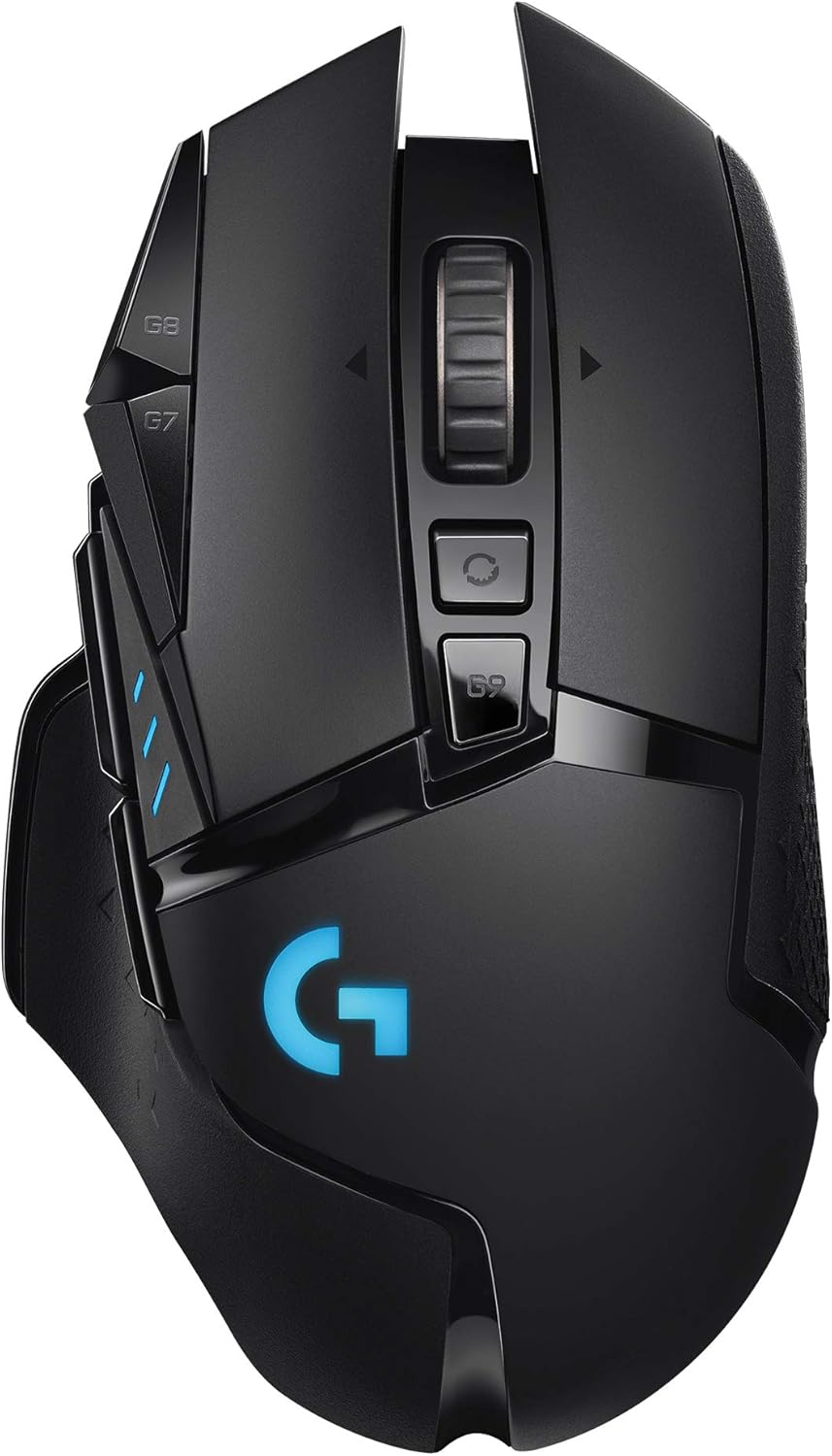
Logitech G502 LIGHTSPEED Wireless Gaming Mouse
The Logitech G502 LIGHTSPEED delivers flawless tracking and wireless performance, but at £79.99 it's significantly pricier than competitors offering comparable specs. Excellent for wireless enthusiasts, but the wired G502 Proteus at £44.99 might be the smarter choice.
Logitech
Logitech G502 LIGHTSPEED Wireless Gaming Mouse

Logitech
Logitech G502 Proteus Spectrum RGB Wired Gaming Mouse
Razer
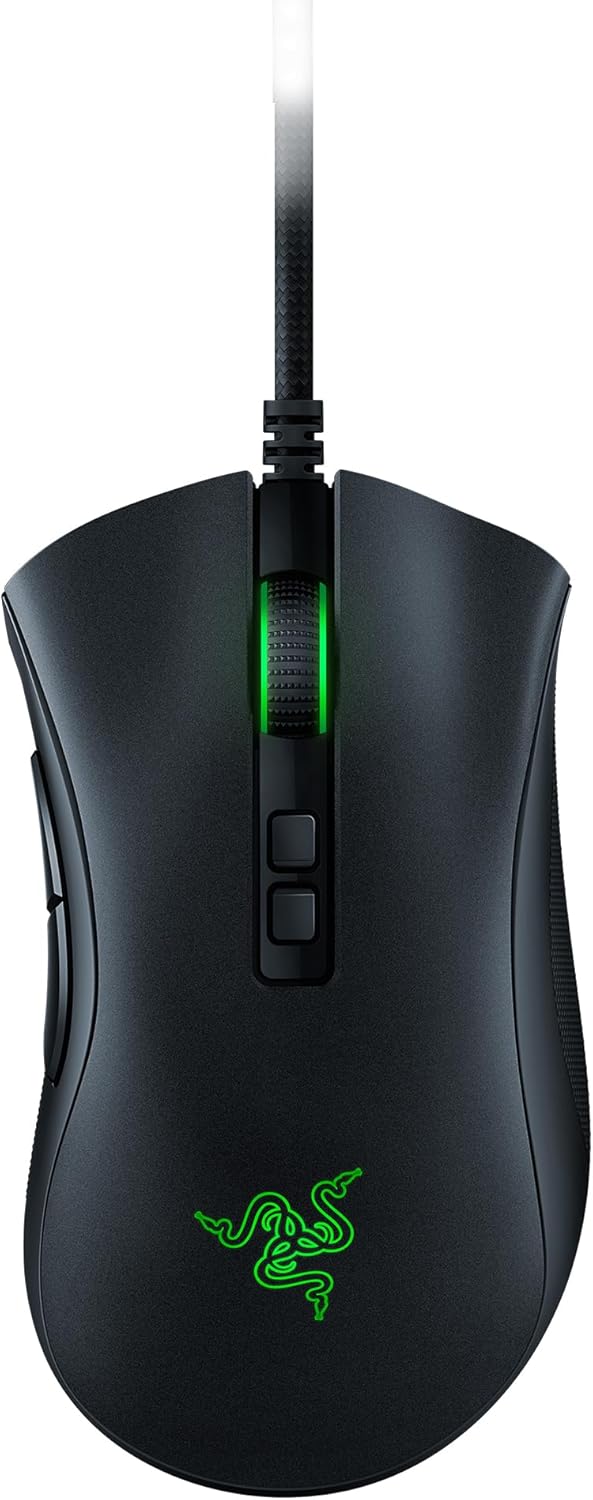
Razer DeathAdder V2 Wired Gaming Mouse

Razer
Razer DeathAdder Essential Gaming Mouse

Razer